An inbox with only what matters.
Paisan reads your Office 365 mail as it arrives, tells you what each message is and whether it needs you, and quietly sets the noise aside. Nothing is deleted. Everything is one click away.
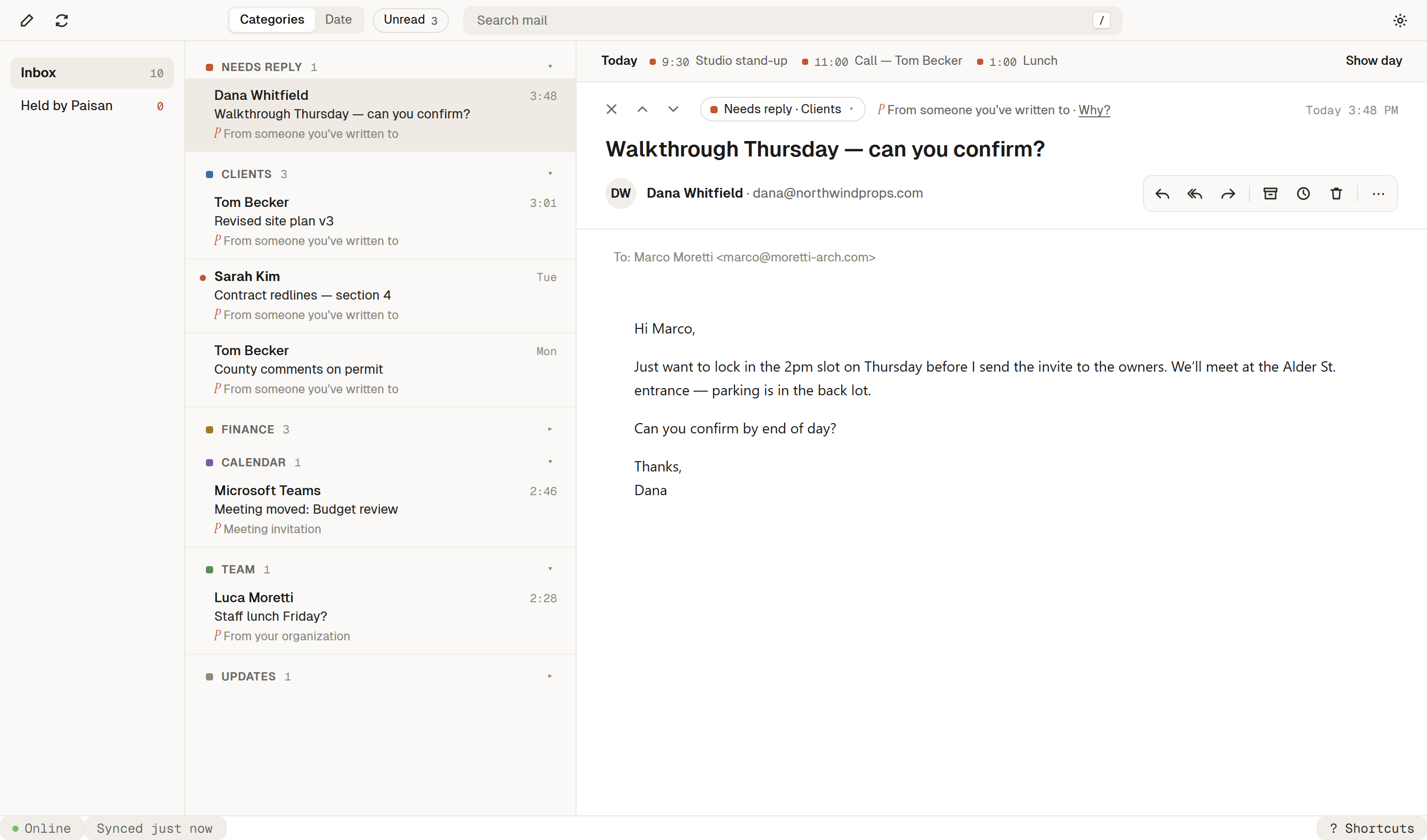
Triage that happens before you open the app.
A Space for every client
One place gathers a client’s mail, their lawyer’s, and your replies, with what needs you and what you’re waiting on right beside it.
Sorted on arrival
Paisan gives each email a type and a short reason, like “From someone you’ve written to” or “Looks like a contract.” Your own rules always come first.
Noise, set aside
Clear a sender out of your Inbox a few times and Paisan offers to hold their mail for you. Held mail is filed, never deleted, and always one click away.
Search the way you remember things.
Type it the way you’d say it: a first name, “pdf,” “last month.” Paisan shows how it read your search and why each result matched, across every mailbox or inside one Space.
“permit” in subject · has attachment
Your calendar, beside you
Today’s schedule sits next to your mail, so you can answer “can we meet Thursday?” without switching apps.
Keyboard first
J and K to move, E to archive, R to reply, / to search. Press ? anytime to see the rest.
Built for Microsoft 365
Works with your existing Outlook mailbox and calendar. No migration, no new address.
Private by design
Mail is cached on your device, and held mail stays in your mailbox. Paisan AI is off until you allow it, mailbox by mailbox.